---
title: How do I contact the seller about a listing?
description: Here you will learn how to communicate with the seller regarding the listing you are interested in
---
[Skip to content](https://help.jamesedition.com/en/how-do-i-contact-the-seller-about-a-listing#main-content)
English
Show submenu for translations
[Customer portal](https://help.jamesedition.com/customer-portal?hsLang=en)
![Shield Black Medium (2).png\]](https://help.jamesedition.com/hs-fs/hubfs/Shield%20Black%20Medium%20(2).png?height=40&name=Shield%20Black%20Medium%20(2).png)
Open main navigation
Close main navigation
- English
Show submenu for translations
- [Customer portal](https://help.jamesedition.com/customer-portal)
- [Go to jamesedition.com](https://www.jamesedition.com/)
[Go to jamesedition.com](https://www.jamesedition.com/)
Find relevant articles by using keywords in the search bar
- There are no suggestions because the search field is empty.
1. [Advice and answers from the JamesEdition Team](https://help.jamesedition.com/en?hsLang=en)
2. [For Buyers](https://help.jamesedition.com/en/for-buyers?hsLang=en)
# How do I contact the seller about a listing?
## Here you will learn how to communicate with the seller regarding the listing you are interested in
JamesEdition is an advertising platform where sellers can list their items and buyers can contact them for details.
Our dealers have a wealth of experience in shipping, insurance, and handling payments from anywhere in the world. They will be happy to answer any questions that you may have. We do our best to ensure that listings on JamesEdition are authentic and posted by reputable dealers. Please read [this article](https://26750902.hs-sites-eu1.com/knowledge/how-does-jamesedition-moderation-work?hsLang=en) for more information. Our goal is to provide you with superior client service.
**Please note:** This article provides the guidelines for the buyers only. JamesEdition works only with agencies and not private sellers. However, we have a network of real estate partners who can help you advertise and sell your property.
You can visit [this page](https://join.jamesedition.com/sell-your-home) to learn more about selling your property through an agency.
### How do I contact a seller?
1. As a first step, you need to sign it to on the portal using one of these options:
.png?width=670&height=419&name=image%20(42).png)
2. Once you log in, we advise you to fill in the information about the item you are looking for:
.png?width=670&height=434&name=image%20(40).png)
3. You can always modify any of this information later on
.png?width=670&height=559&name=image%20(41).png)
4. Once you have selected the item you are interested in, you can open a listing page and see the contact form on the right. The message is prefilled with the listing title, but you can always modify it if you want. Click the **Send Message** button, and the seller will receive an email from you. You can also call a seller by clicking **Call Agent**, or use **WhatsApp** to communicate directly in this app.
**Please note**: The WhatsApp button isonly available on the mobile version of the JamesEdition website and the JamesEdition app ( AppStore only).
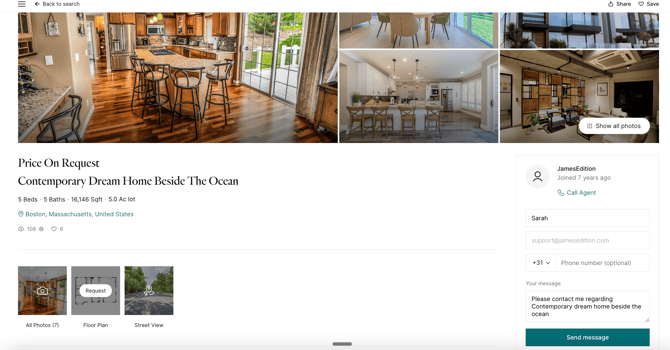
**Please note:** If you are already logged in, your details will be prefilled, and you will simply need to click the **Send Message** button.
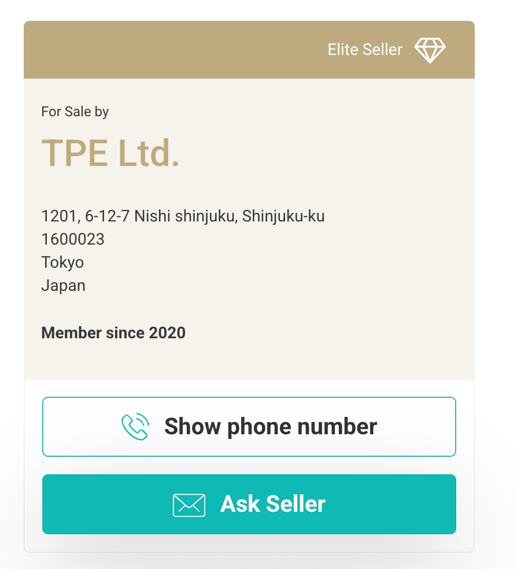
If you are interested in Motorcycles, Helicopters, Jewelry, or Collectibles, simply click on Ask Seller, or Show Phone number to make a call:
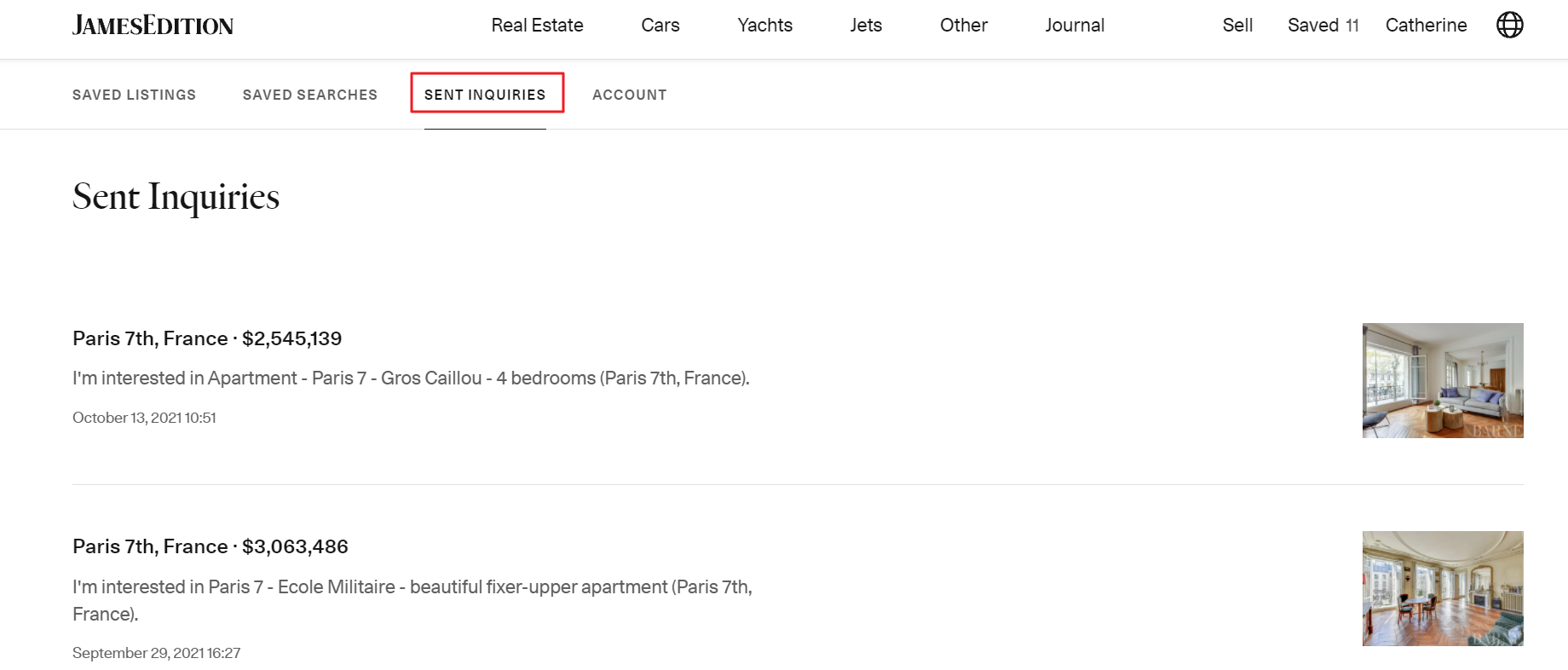
You can find all the inquiries you've sent in the section **Sent Inquiries** of your buyer account.
There is also a possibility to contact the seller from a listing card on the search results page, user account, and category page by clicking the **Contact** button. It will automatically open the form to contact the seller. 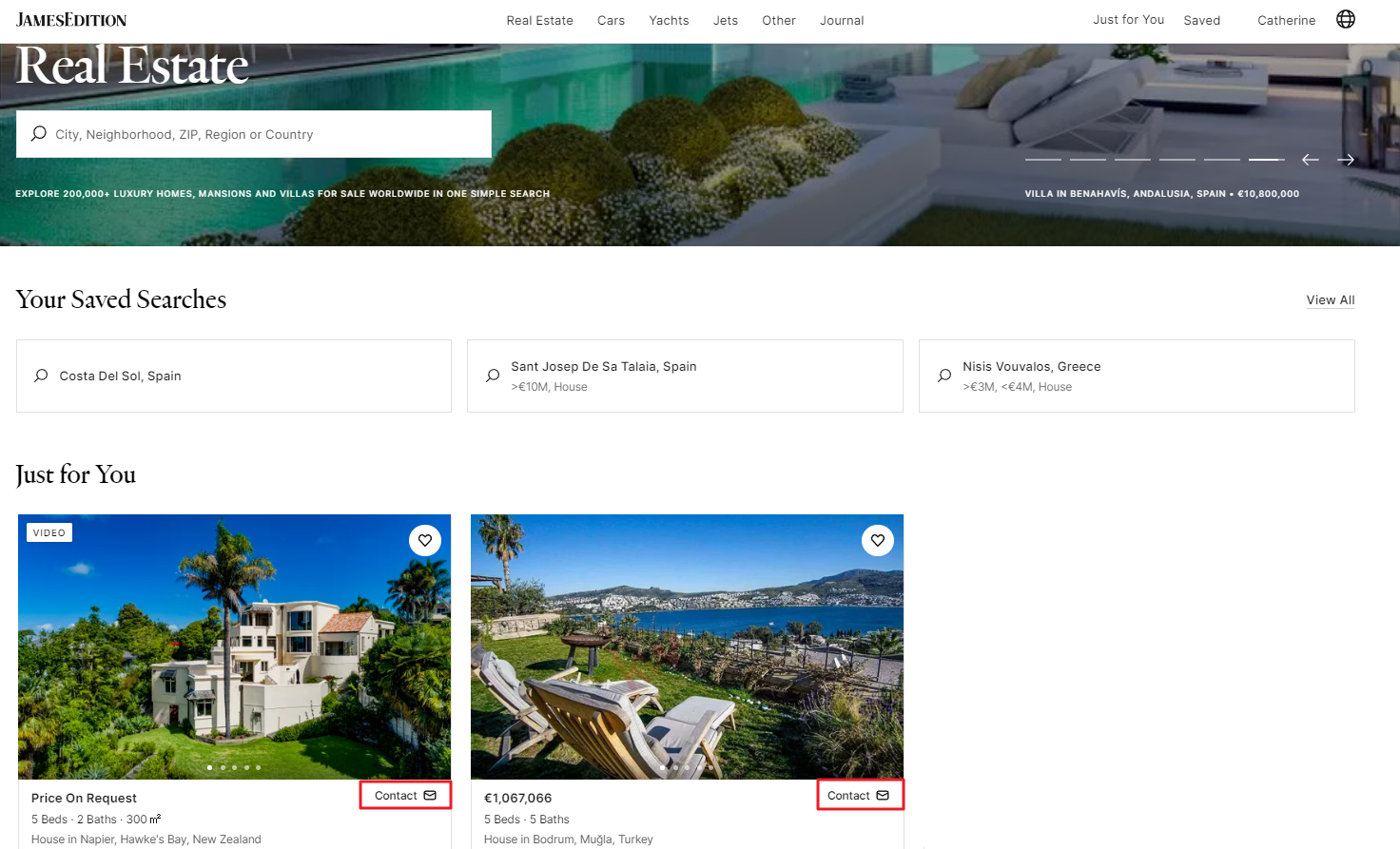
After you send the inquiry, you will receive a confirmation that it was processed.
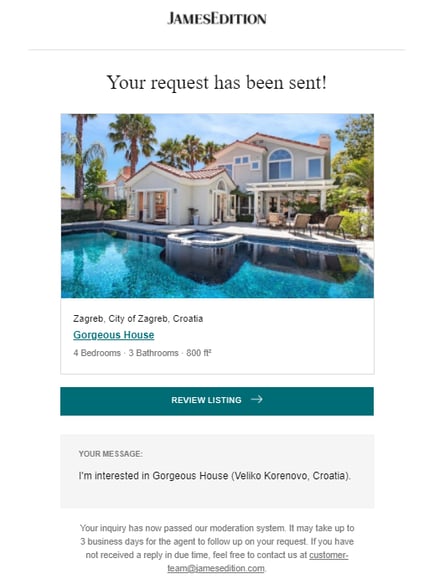
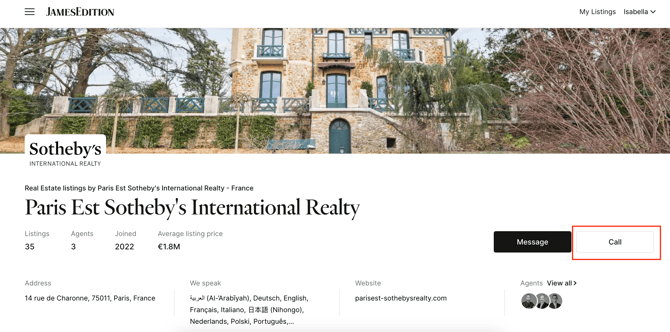
Some dealers have small operations and are very busy, so if you have inquired about a property, please give the agent some time to respond. If the seller does not reply within a reasonable timeframe, we recommend contacting them directly by phone, via their website, or by visiting their office. You can find their phone number on their office page:
Please [contact us](mailto:support@jamesedition.com) if you have not received a timely response, and we will help you out.
If you have any additional questions, please check our [Help Center Articles here.](https://help.jamesedition.com/en?hsLang=en)
- [General](https://help.jamesedition.com/en/general?hsLang=en)
- [For Business](https://help.jamesedition.com/en/for-business?hsLang=en#main-content)
- [Getting Started with JamesEdition](https://help.jamesedition.com/en/for-business?hsLang=en#getting-started-with-jamesedition)
- [Listing Guidelines & Quality](https://help.jamesedition.com/en/for-business?hsLang=en#listing-guidelines-quality)
- [Business Account Management](https://help.jamesedition.com/en/for-business?hsLang=en#business-account-management)
- [Managing Your Listings](https://help.jamesedition.com/en/for-business?hsLang=en#managing-your-listings)
- [Advertising & Promotion](https://help.jamesedition.com/en/for-business?hsLang=en#advertising-promotion)
- [Lead Generation & Inquiries](https://help.jamesedition.com/en/for-business?hsLang=en#lead-generation-inquiries)
- [Billing & Subscription Management](https://help.jamesedition.com/en/for-business?hsLang=en#billing-subscription-management)
- [Analytics & Reporting](https://help.jamesedition.com/en/for-business?hsLang=en#analytics-reporting)
- [Security & Support](https://help.jamesedition.com/en/for-business?hsLang=en#security-support)
- [For Buyers](https://help.jamesedition.com/en/for-buyers?hsLang=en)
[-1.png?width=21&height=24&name=Shield%20Black%20Medium%20(2)-1.png "Chill listening crop-3")](http://jamesedition.com)
jamesedition.com
Copyright © 2026, JamesEdition B.V.®